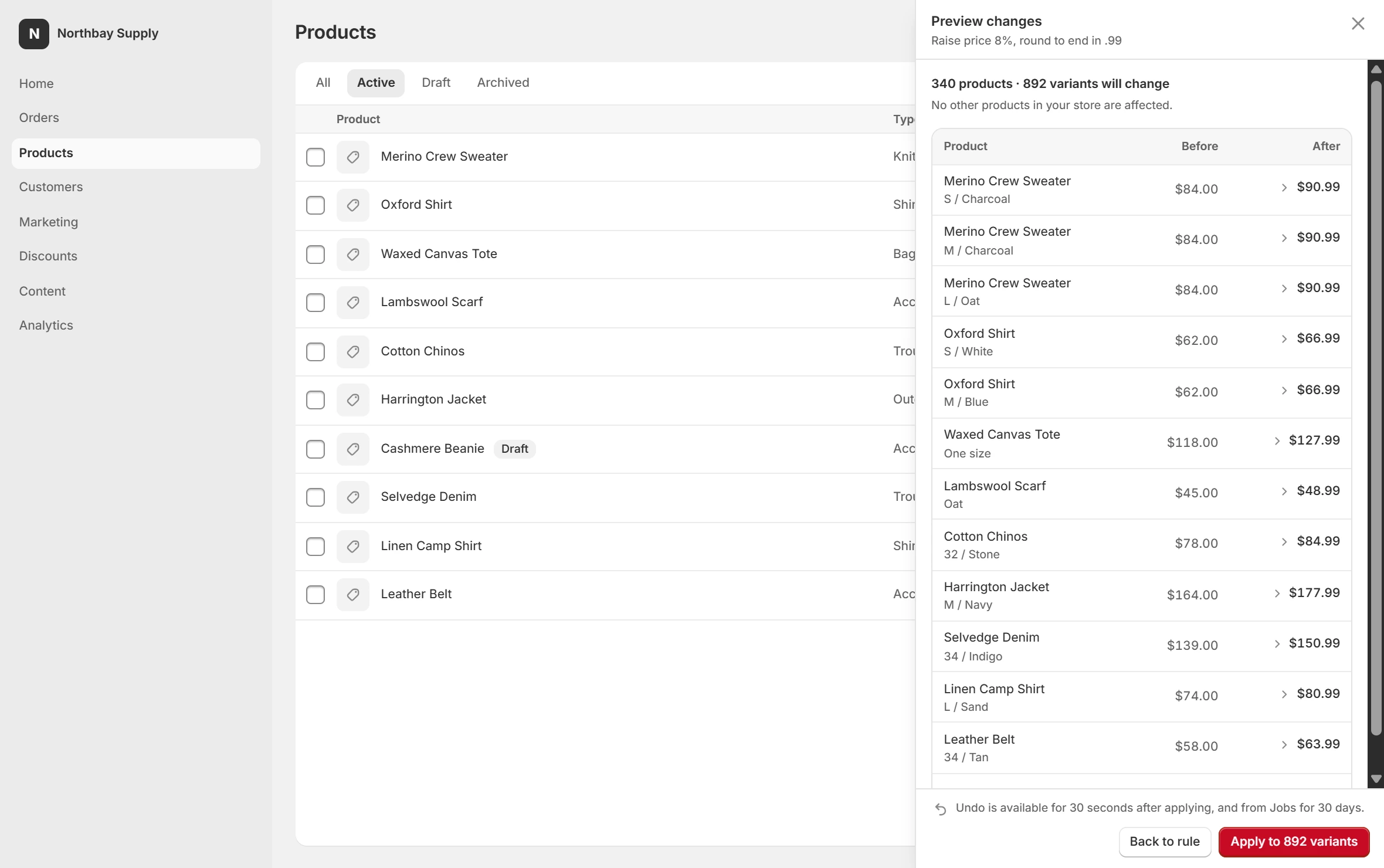
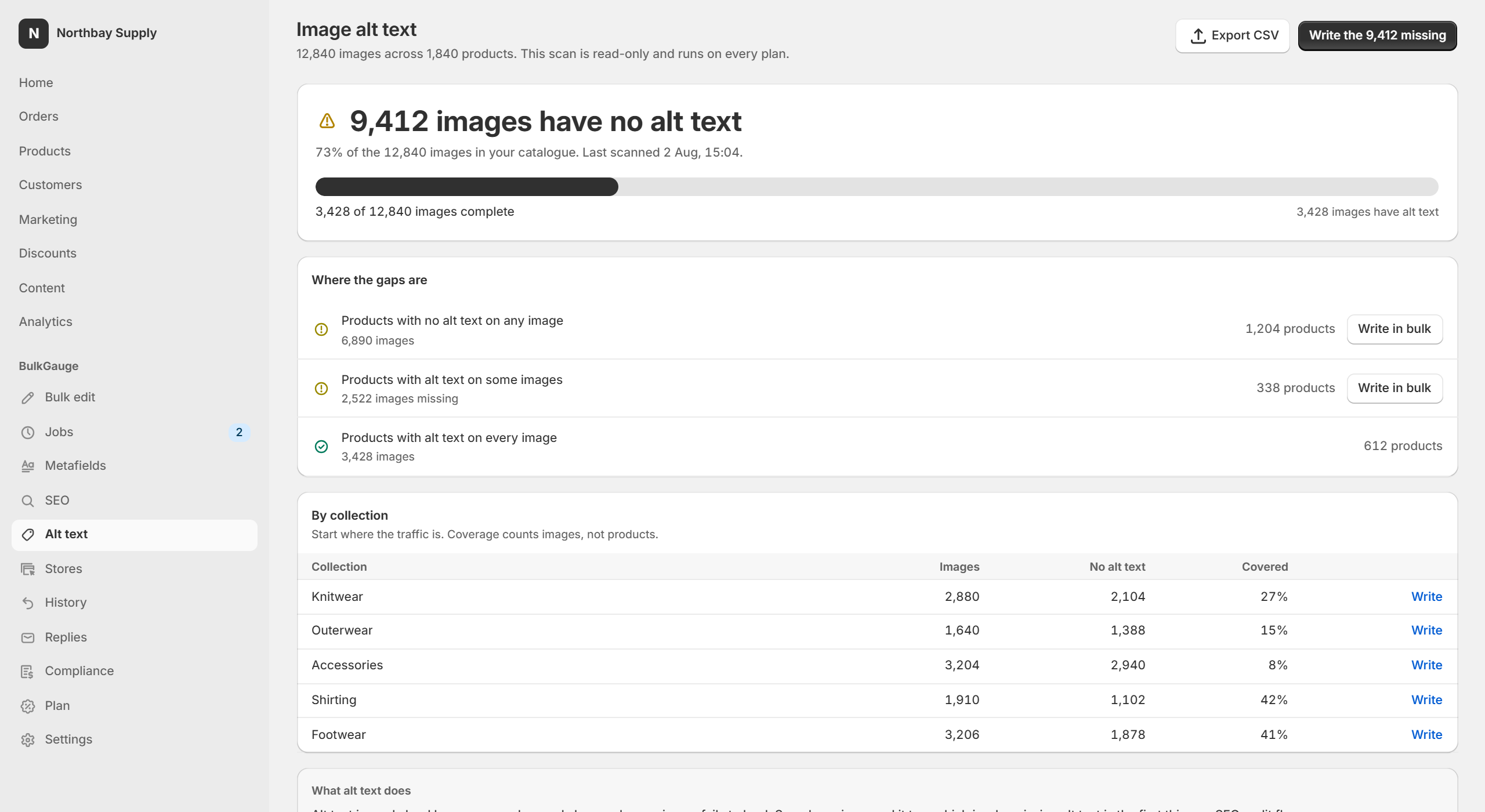
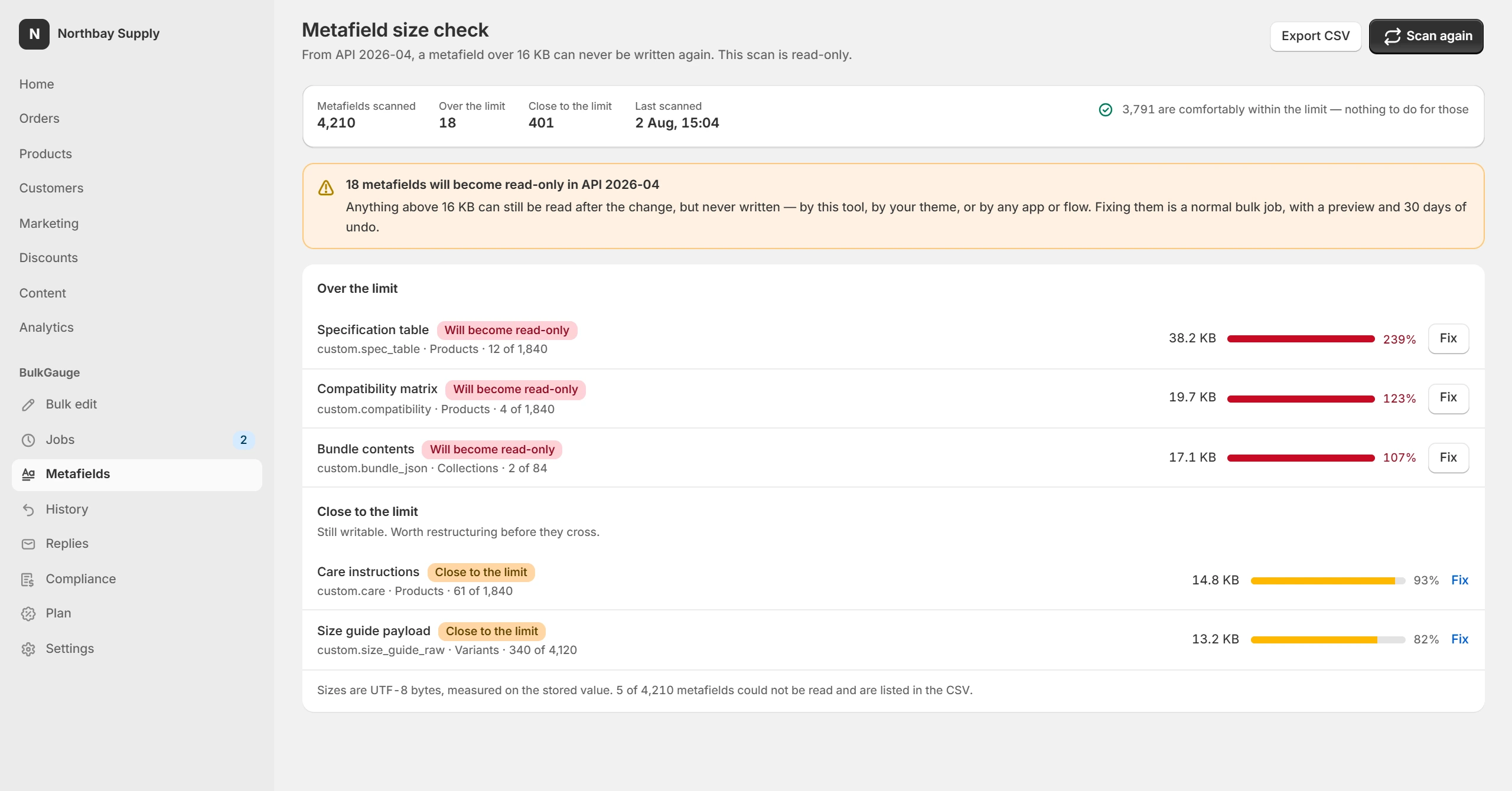
Everything below runs in a panel docked beside the admin you already have open, so the product list you are about to change stays visible the whole time. Two of them — the alt text audit and the metafield size check — are read-only and free on every plan.
Pick a field, pick an operation, give it a value. Stack as many as the job needs; the preview shows the combined result.
Price · compare-at price · cost per item · tags · title · description · SKU · barcode · weight · inventory quantity · metafields
Increase or decrease by percent or amount · set to a value · round to end in .99, .95 or .00 · add, remove or replace tags · find and replace · clear

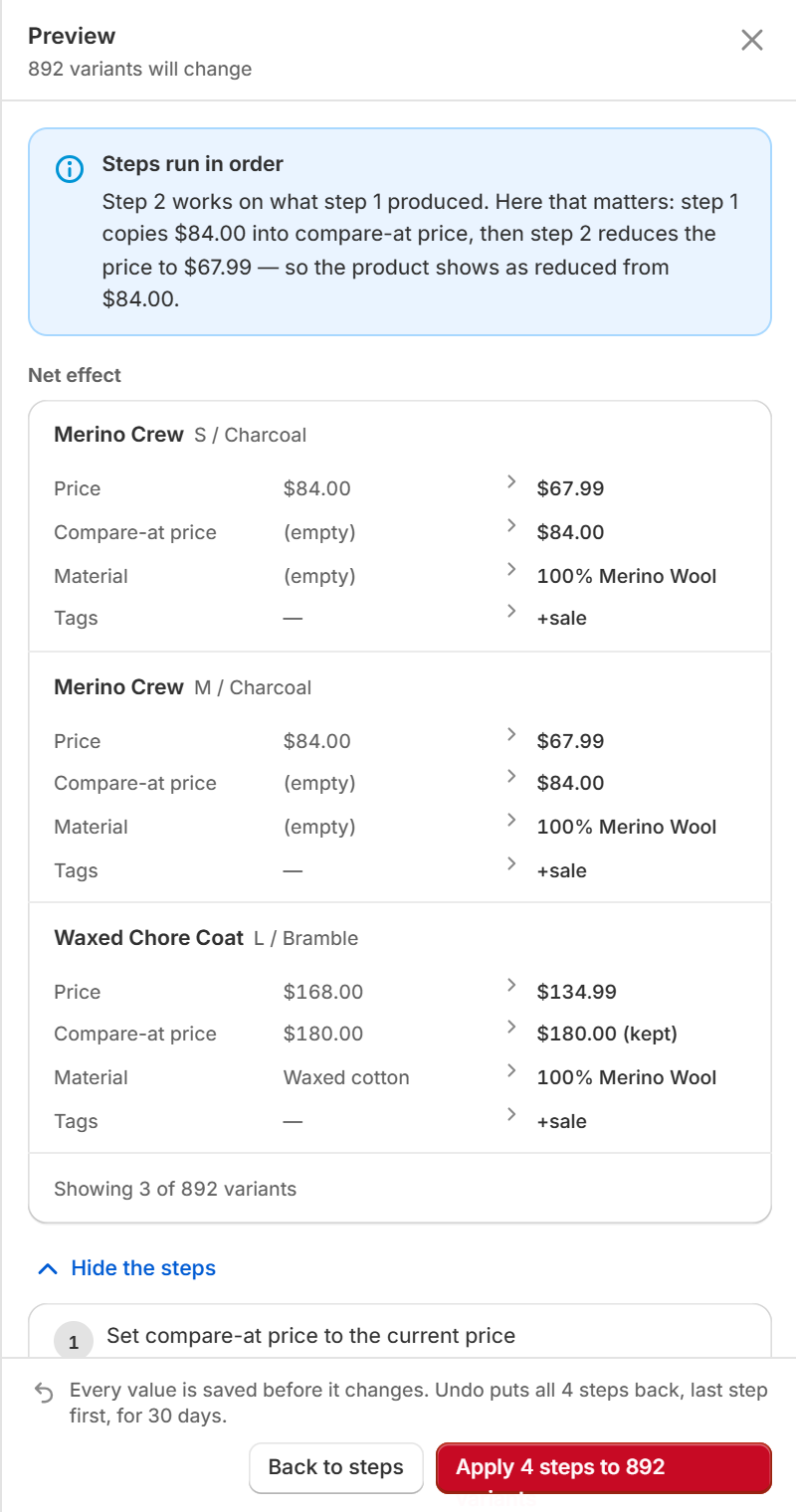
A sale is rarely one change. Copy the price into compare-at price, reduce it by 20%, set a material, add a tag — as steps in one job, with one preview and one undo instead of four of each.

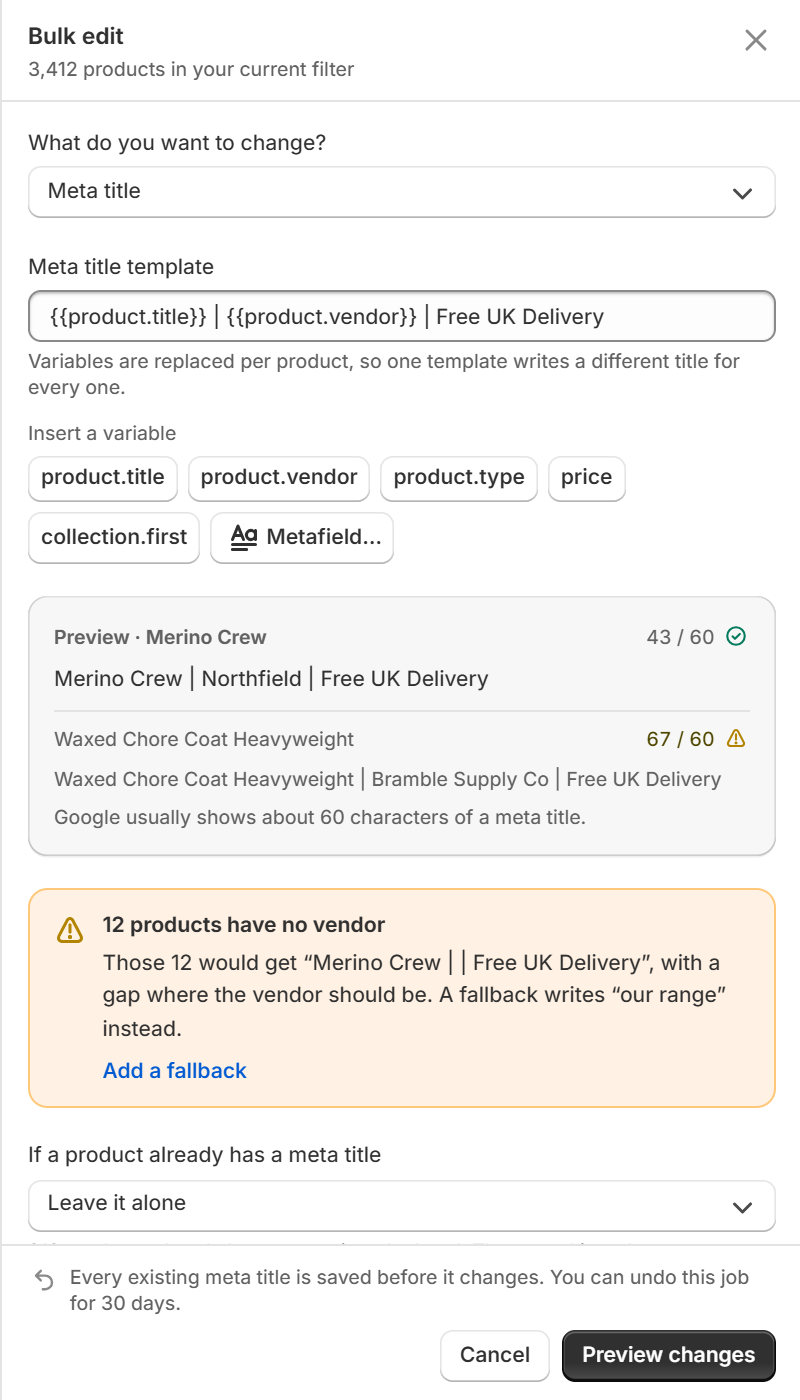
Meta titles and descriptions written from per-product variables. {{product.title}} | {{product.vendor}} resolves differently for every product, which is the one thing find-and-replace can never do.

A free, read-only audit counts every product image with no alt text and breaks it down by product and collection. Writing it is either a template, at no cost per image, or a description generated from the image itself.

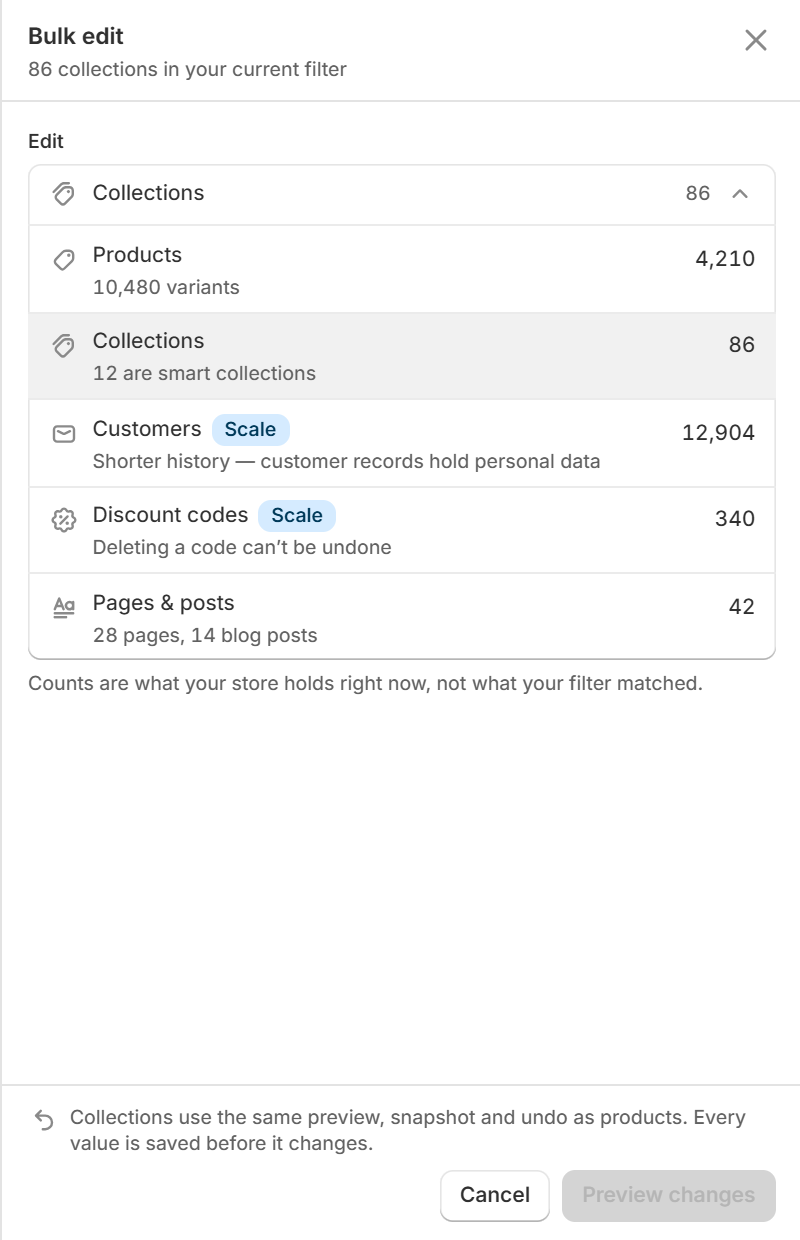
One selector at the top of the rule builder points the same engine at the rest of the store, with the count beside each type — which is usually how a merchant discovers they have 86 collections.

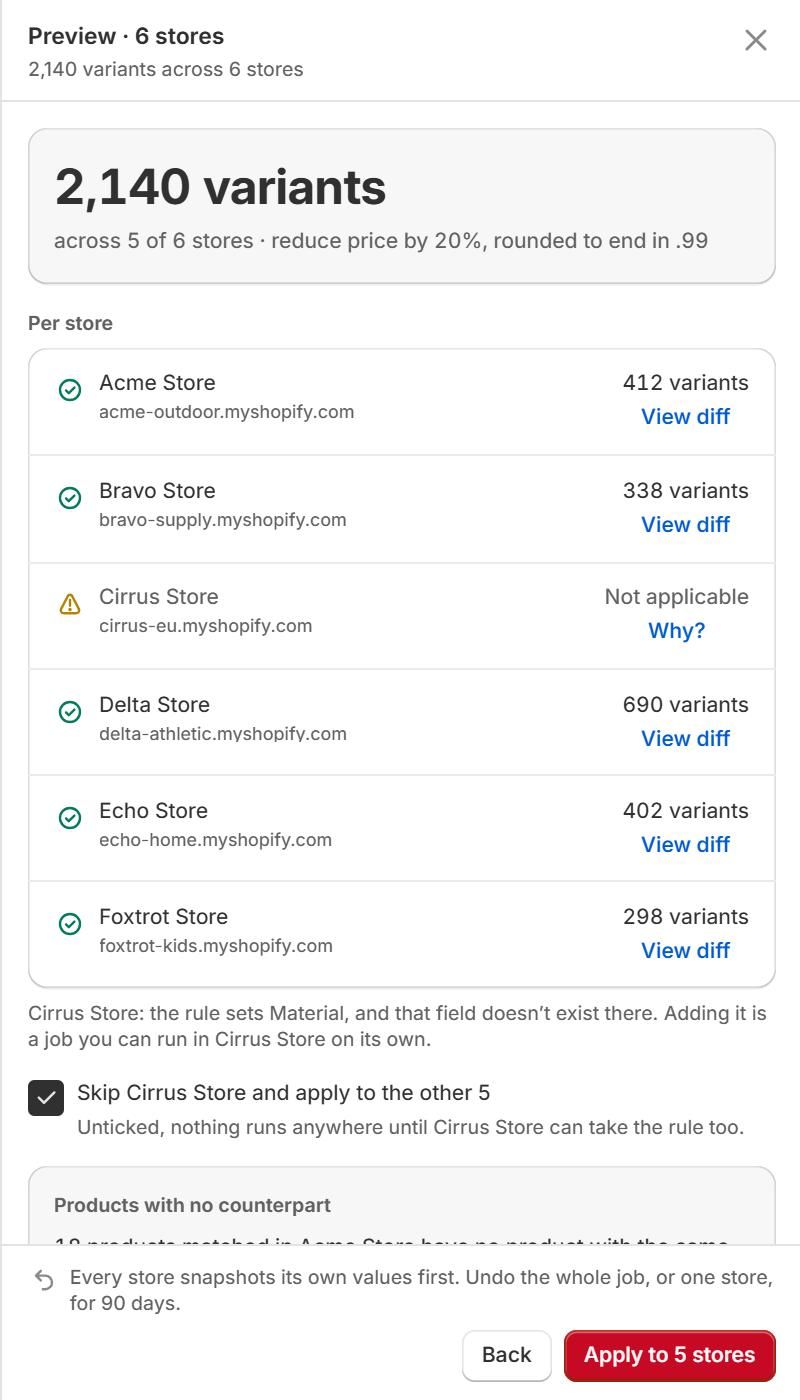
For agencies and multi-brand merchants: one job across a group of stores, with a per-store preview, per-store progress and per-store undo. Stores run in parallel, so six stores take about as long as the slowest one.

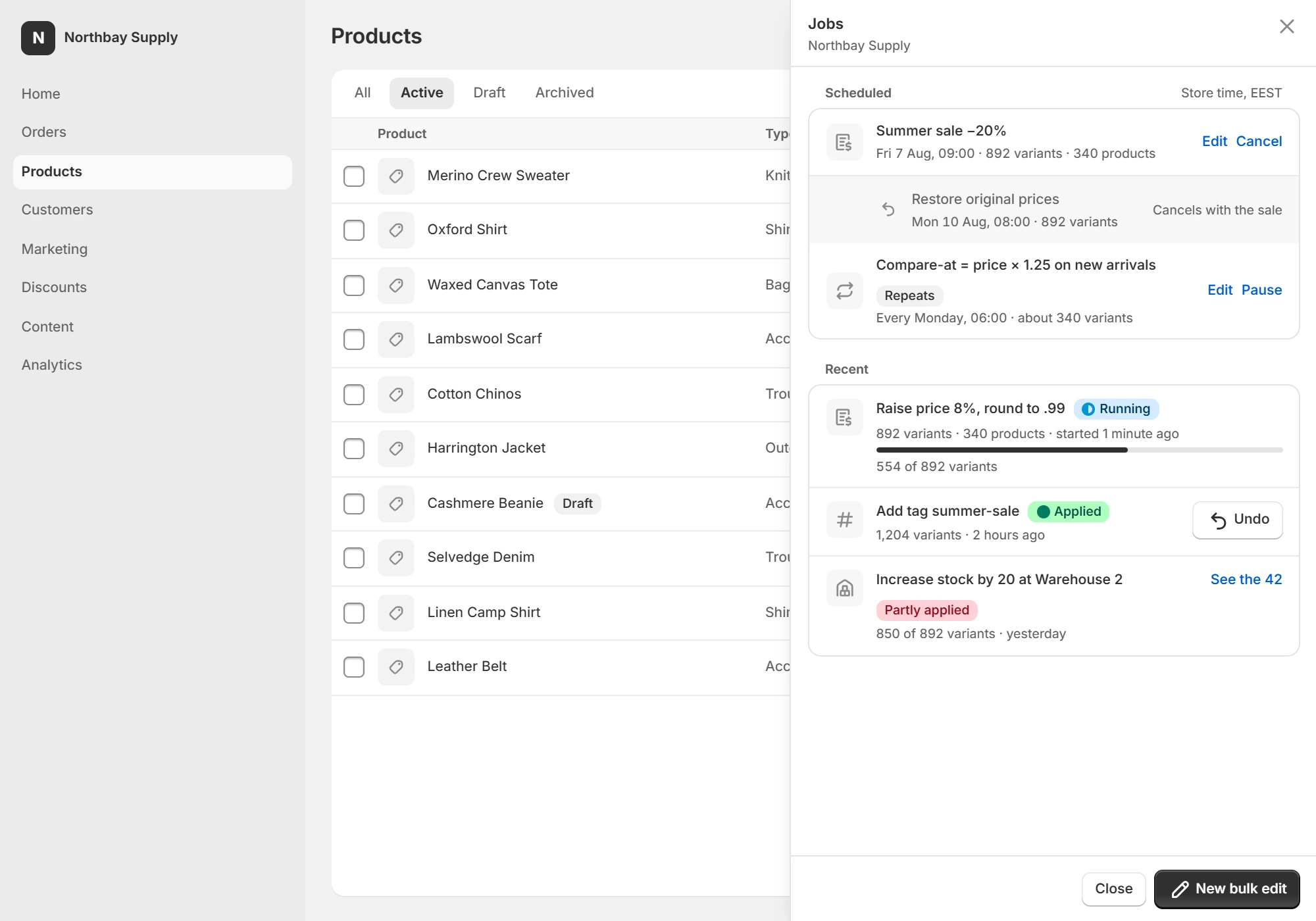
Schedule is the third option on the preview, next to Apply. Give it a start, and optionally an end — at the end the old values come back on their own.

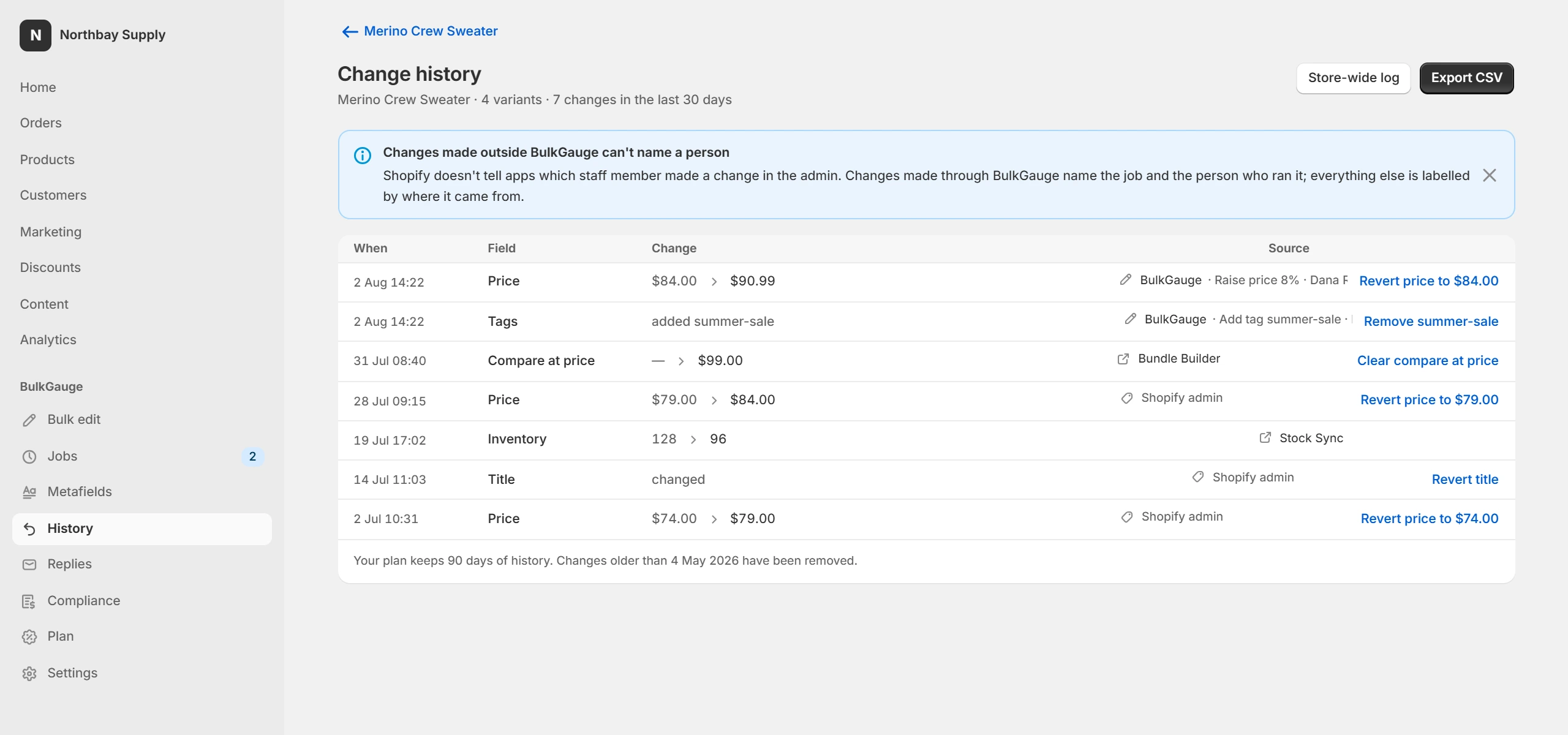
A price history on each product and a store-wide change log for everything else, filterable and exportable.

Choose a metafield definition and BulkGauge reads its type, then renders the control that type deserves. A product reference gets a picker. A date gets a date field. Nothing gets a text box it should not have.

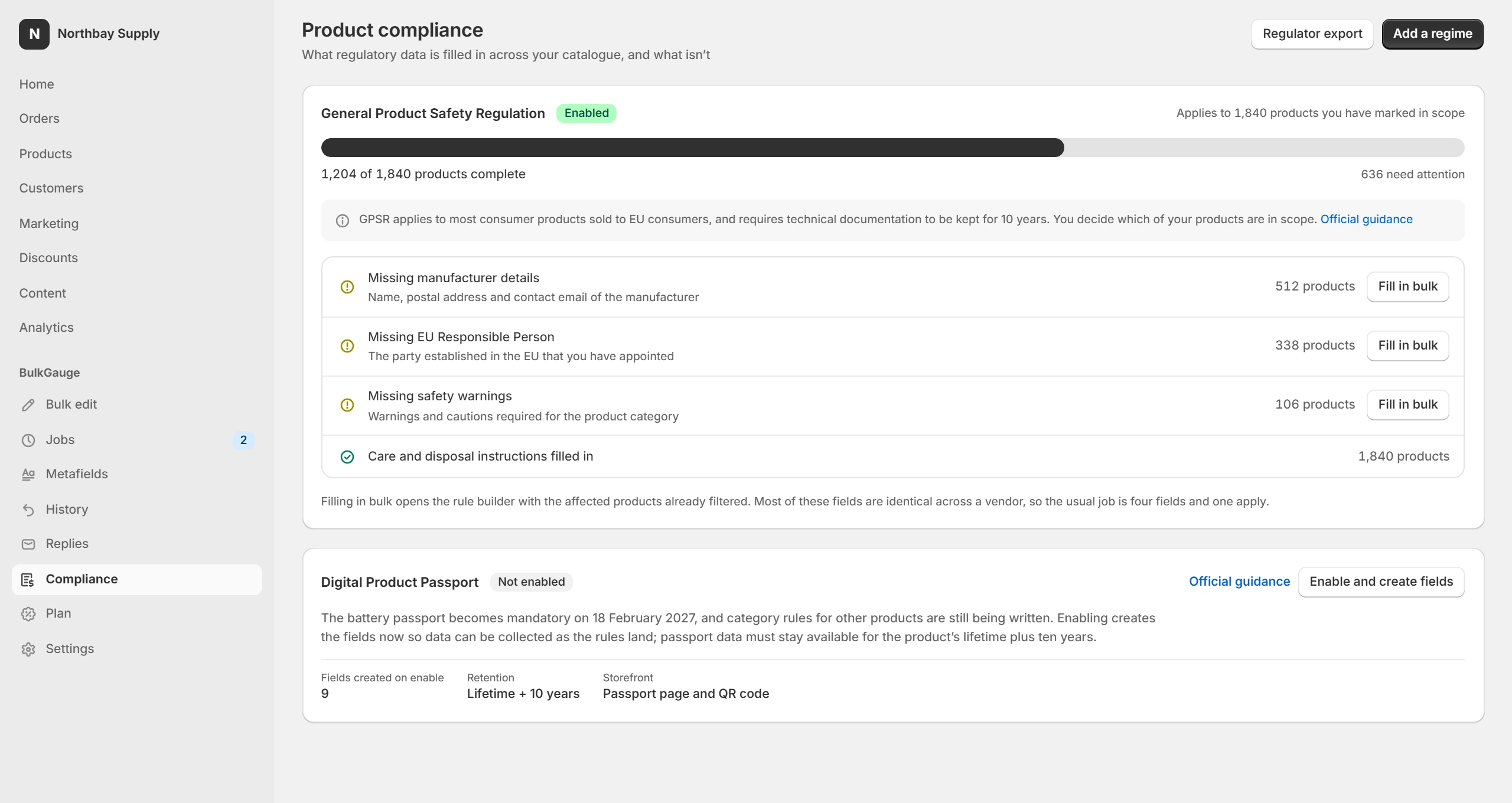
If you sell into the EU, a discount now needs the lowest price of the previous 30 days beside it, and a product page needs safety information and a responsible person. BulkGauge holds the data and renders the blocks.

Products, variants, metafields, collections, pages, navigation, inventory levels, discounts and theme settings, copied on a schedule you set and encrypted before the file leaves your store. Restore opens the same preview as any other job: what will be created, what will be updated, what is skipped, and what cannot come back.